Do you want to start another workflow from your workflow?
That tot using SharePoint Designer?Can you do that?
Answer is yes. Yes, you can start another workflow from your
workflow using SharePoint Designer 2013.
You can find following actions under the group of ‘Coordination
actions’.

Action text is “Start SharePoint 2010 workflow”. This
clearly indicates that you can only start workflow created for platform type ‘SharePoint
2010 Workflow’.

While selecting the workflow you can only select workflow
created for 2010 platform.
For using this action:
1.
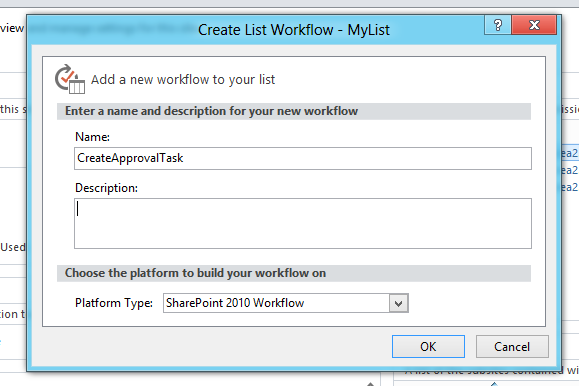
Create workflow for SharePoint 2010 platform.
2.
Create another workflow which will start
previous workflow. This workflow need not to be 2010 workflow. Why this
platform dependency is there? It is still a question to me and I am waiting for
answer. May be I will be able to get it in MSDN documentation. Till then let’s
move ahead and explore this feature. I will post updates as soon as I get more
information.
3.
Add various stages as per your requirement.
4.
In stage having logic to start another workflow
add ‘Start List Workflow’ action within required condition.
5.
Select workflow to be started.

6. Configure parameters.

7.
Select the item on which the workflow needs to
be started.

8.
Check for errors, save and publish workflow.
Test your workflow. Similarly, you can start site workflow.


